
Knowing how to refresh Snapchat helps you load new messages, update Stories, refresh your friends’ content and fix problems when the application stops responding. If Snapchat is displaying old information, failing to load Snaps or not updating your conversations, refreshing the application can help.
Category: Technology
-

How to Refresh Instagram Feed
Knowing how to refresh Instagram feed helps you load new posts, view the latest updates and discover fresh content from accounts you follow. If your Instagram feed keeps showing old posts, fails to load new pictures or displays repetitive content, refreshing the application can help. Whether you use an Android phone or an iPhone, there are several ways to refresh your Instagram feed.
-
How to Refresh Live Location on WhatsApp
Knowing how to refresh live location on WhatsApp helps you see someone’s updated position or correct problems when your shared location stops updating. WhatsApp uses your phone’s GPS and internet connection to share real-time location information with selected contacts. If a person’s live location appears frozen or is not moving, there are several ways to refresh it on Android and iPhone.
-

How to Refresh Links in Excel
Knowing how to refresh links in Excel helps you update information connected to other workbooks, external files and online sources. If your Excel spreadsheet is displaying outdated figures or failing to reflect changes made in another file, refreshing the links can help retrieve the latest information. Microsoft Excel provides several options for updating external links, depending on how your workbook is connected.
-

Samsung tops Africa’s smartphone market for the first time
Samsung Electronics has become the top smartphone vendor in Africa for the first time since entering the market in 1995, according to market research firm TechInsights.
Samsung ranked first by revenue in Africa’s smartphone market in the first quarter of 2026, then led in both revenue and unit sales in the second quarter. While total smartphone sales in Africa fell 16.6% year on year in the second quarter, Samsung’s unit sales rose 34.8%.
For the full year, TechInsights expects Samsung to rank first in both measures, with a 34.5% share of sales value and a 38.7% share of unit volume. That would be an increase of more than 16 percentage points in unit share in two years, from 22.4% in 2024 and 26.5% in 2025.
The company credits much of the growth to an instalment model that lets customers pay for phones in daily or weekly amounts. In 2026, 46% of Samsung’s smartphone revenue in Africa came through these plans.
Africa remains one of the world’s most price-sensitive smartphone markets, dominated by low-cost devices priced at about US$100. According to Samsung, monthly incomes in the region typically range from US$100 to US$500, while its popular Galaxy A series phones cost about US$200. Many people earn daily or weekly wages, which makes it hard to save for a phone upfront.
As upfront costs have fallen, sales of higher-end devices have also grown. Samsung’s sales of its Galaxy S and Z series in Africa rose 20% year on year in 2026.
Security as a selling point
Rather than competing on price, Samsung says it has focused on phones that users can trust for the long term.
That matters in a market where the phone often doubles as a wallet and a bank. According to the GSMA, mobile money transactions in sub-Saharan Africa totalled US$1.4 trillion last year, about two-thirds of global transaction value. For many adults, mobile money is their only financial account, and mobile money fraud is one of the region’s most common forms of cybercrime.
Samsung’s Galaxy A series offers up to seven years of operating system and security updates, along with its Knox security platform. The company has also expanded its local service network to 281 locations across 38 countries.
-

How LLMJacking is affecting Kenyan organisations
By Allan Juma, Lead Cybersecurity Engineer at ESETWhat Is LLMJacking and How Does It Work?Google Threat Intelligence Group and Mandiant published research into LLMJacking in early November 2026. Criminals are using stolen cloud credentials or API keys to run AI models on a company’s account, gaining access to large language models (LLMs) and expensive GPU processing capacity while the company foots the bill.
-

Buying a Used Car or Refurbished Phone? Ichung’wah Wants New Rules
Speaking in Parliament on Tuesday, Ichung’wah criticized unscrupulous traders who package reconditioned laptops and smartphones as brand-new products, specifically highlighting how such practices exploit students.
Ichung’wah pointed out that many sellers perform cosmetic repairs on second-hand electronics, such as replacing screens and keyboards, without disclosing the items’ reconditioned status to consumers.
“A lot of refurbished laptops and computers are being sold, mostly to our students. And they are being taken advantage of, because they have all been cleaned up, they have changed the screens, they all look new, and you change the keyboard, but you do not label it as a reconditioned or refurbished item,” he said.
He stressed that vendors routinely charge brand-new retail prices for these restored units, leaving buyers in the dark regarding actual product lifespan and history.
Turning his focus to mobile devices, Ichung’wah insisted that transparency must become standard across all consumer tech transactions.
“If you are selling a reconditioned or refurbished iPhone 18 or 16, you must disclose to the consumer that this is a refurbished item, it is reconditioned and not new, and clear labeling must be done to ensure that that is done,” he said.
Beyond consumer electronics, the Majority Leader called for strict disclosure laws within the motor vehicle market. He noted that car buyers frequently purchase vehicles with extensive accident damage because sellers conceal structural repairs behind fresh paint and replaced body panels.
Drawing a comparison with aviation standards, Ichung’wah noted that aircraft buyers routinely access complete maintenance logs, whereas car buyers lack basic history protections. He proposed legislation requiring auto sellers to provide certified records detailing a vehicle’s mileage, repair background, and prior accident involvement before closing any sale, empowering buyers to make fully informed financial decisions.
-
How to detect video and interface desynchronisation
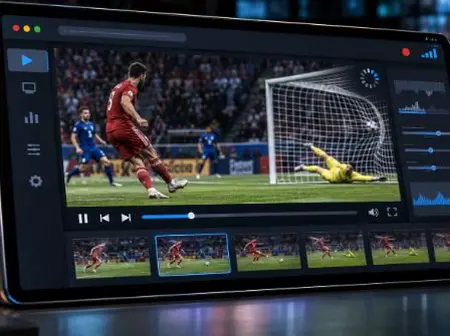
Use a numbered event, perhaps a quiz question. You’ll recognise “12” when it appears in the picture and when it appears beside the answers, even if those moments are a second or two apart. Chat timestamps won’t help here: they’re attached to messages travelling through another system.
A game animation calls for a different test. Understanding what is tower rush and how to play it involves the Build control, which starts a floor placement. Its response and the end of the animation provide two separate timing points. That documents action and animation timing, while the stream test stays focused on camera footage.
For streamed footage, find out when the panel is supposed to update. Some services attach timestamped data to the video so a question opens at the matching moment in playback. Viewers can then see the same pairing despite receiving the broadcast at different times.
Set your recorder to capture the service window, with the panel next to the player. You’ll be able to take both timings from that one clip, so there’s no second recording to line up.
Find question 12 in the clip and pause when the number first changes in the answer panel. Note the clip’s playback time. Then move forward until that number appears in the video picture and take the other reading.
An illustrative log might look like this:
For question 12, the subtraction is 11.5 minus 10.0: the picture arrives 1.5 seconds later. A negative answer would mean that the picture arrived first.
To measure the delay from the original event, you’d also need a reliable timestamp at that event and a matching time reference locally.
A recording of a tower rush game session should show the action confirmation together with the animation, so support can compare them. A recorded result is a better reference than repeatedly pressing a control while waiting for the moving image to catch up.
Watch for a freeze, then measure the next matching event. If the gap grows after the picture stops but the panel keeps updating, note that sequence. Buffering can interrupt video playback while other page activity continues.
Record the last matched pair before the freeze and the first one after playback resumes. Keep all the footage between those points, so the person reviewing it can see what stopped and what the panel did while the video was stuck.
A hidden tab is another thing to rule out. Browsers sometimes delay its timers or suspend animation updates until you return. First take a reading with the window visible. Then switch away, come back, and check whether the offset changes.
Live casino video and round messages may follow separate delivery routes; an interface result can therefore arrive before the corresponding picture. Check the round identifier, where shown, and measure that same result in both views. A betting timer needs its own timing explanation before it serves as a comparison.
Save the first measurement before trying a fix. Let playback settle before measuring again after a refresh or quality change. Then repeat the same comparison after each change:
Try another stream after a refresh. If it plays properly while the original keeps slipping, note which stream failed and which one worked. Keep the same device for that comparison; otherwise you’ve changed two things at once.
Send the clip with a short note: “Question 12 appeared in the panel at 10.0 seconds and in the video at 11.5.” Include the stream name and when you watched it, followed by your device and browser version.
Retain the first readings beside the retest. Say which setting changed and what happened afterwards. If trouble followed a tab switch, show that switch in the clip so support can try the same sequence.
-
New Konza centre to boost fight against cyber-attacks
The government has launched a cybersecurity centre at Konza Technopolis to fight threats such as hacking, ransomware and phishing from a central point.The security operations centre will use artificial intelligence (AI) to monitor networks, detect suspicious activity and coordinate responses to cyber incidents across systems and devices.
-
M-Kopa fights techie unlocking defaulted mobile phones
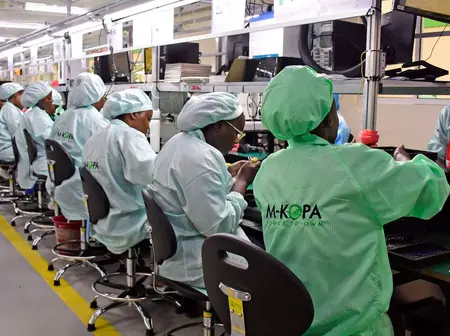
A mobile phone repair technician is fighting a court case for using specialised electronic equipment to hack into M-Kopa’s security systems, allowing mobile phones acquired on credit to remain operational without customers completing their instalments.
Investigations by the Directorate of Criminal Investigations (DCI) linked Benjamin Okello to the unauthorised alteration of 26 phones belonging to M-Kopa Kenya, with forensic analysis indicating that 365 mobile phones had passed through flashing tools recovered from his repair shop in Mradi area in Mathare, Nairobi.