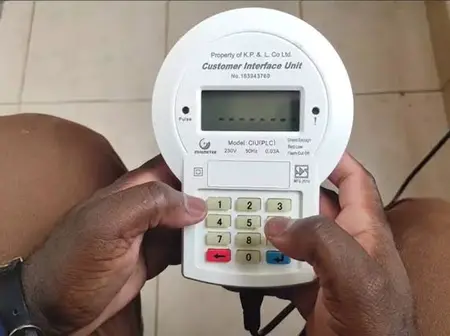
For thousands of Kenyan households, this sudden error triggers panic about spoiled food, interrupted work, or spending the night in darkness.
Fortunately, Kenya Power has clarified that most token rejections stem from minor communication hiccups rather than permanent hardware damage.
Before calling a technician or waiting on customer care lines, follow these three practical steps to restore your electricity supply immediately.
1. Reconnect and Power Up Your Keypad
Your Customer Interface Unit (CIU)—the small indoor keypad—relies on a steady signal to talk to the main meter box outside.
Weak batteries or loose wall sockets frequently break this wireless link.
Start by unplugging the keypad from the wall, removing old batteries, and inserting fresh alkaline cells.
Next, plug the unit directly into an active wall socket rather than a crowded extension cable, as heavy electronics create signal interference.
2. Verify Your Meter Number and Digit Sequence
A single mistyped number among the 20 digits automatically triggers a rejection.
Carefully cross-check your M-Pesa confirmation SMS against the digits you entered, and confirm the units match your exact house meter.
Dial 000 and press Enter on your keypad, or use the official USSD code *977#, to verify your active meter number.
If your meter requires a pending software update code, enter the reset sequence first before loading new units.
3. Check the Main Breaker and Reset the Connection
If the screen still displays an error, inspect your main meter box outside and confirm the main circuit breaker switch is flipped to "ON".
Switching the main breaker off for twenty seconds and turning it back on clears temporary memory freezes.
However, if your screen displays a "Bypass" warning, stop immediately and report the fault via the MyPower App, as tampering alerts require official Kenya Power intervention.
SOURCE
Leave a Reply