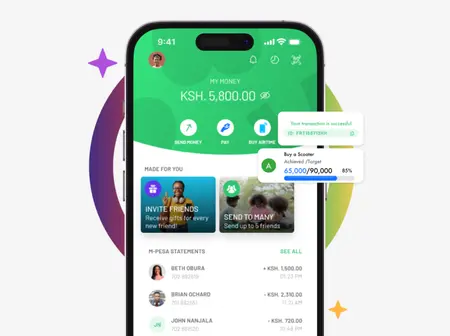
Safaricom has advised M-Pesa customers experiencing difficulties accessing their transaction statements to review their SMS subscription settings after a customer questioned why the telecommunications company sends statements without providing the passwords required to open them.
The response followed a complaint by an X user on Friday, November 27, 2026, Antony Mwangi, who questioned the purpose of receiving an M-Pesa statement if the recipient could not access it due to a missing password.
“What is the purpose of sending someone their mpesa statement but not sending the password for them to access it?” Mwangi asked while tagging Safaricom in his post.
Responding to the complaint, Safaricom directed the customer to adjust his promotional and marketing SMS settings before requesting the statement again.
The telecommunications company advised him to dial *456# and select the stop option before activating Safaricom under both Promotional SMS and Marketing SMS categories.
“Hello Tony, thank you for contacting us. Dial *456# OK stop, then activate ‘SAFARICOM’ under Promotional SMS and also under Marketing SMS, then request the statement again,” the company responded.
The response suggests that customers experiencing similar difficulties should check whether Safaricom messages are enabled under their promotional and marketing SMS preferences.
The company indicated that adjusting these settings and requesting the statement again could help address the problem reported by the customer.
M-Pesa statements provide customers with a record of their mobile money transactions, helping them monitor money sent and received, review payments and keep track of their financial activities.
Customers can request statements through Safaricom’s available M-Pesa statement services, including its digital channels.
Customers requesting an M-PESA statement through the M-PESA App or by dialling *334# receive the document as a password-protected PDF sent to their registered email address. At the same time, Safaricom sends a unique password via SMS to the customer’s registered mobile number.
To open the M-PESA statement safely, customers only need to download the PDF attachment, open it using any PDF reader on a smartphone or computer, and enter the password exactly as it appears in the SMS.
Every statement is generated with a different password, meaning passwords cannot be reused to unlock future statements. If the password does not work, customers should confirm they are using the password sent for that specific statement, as each new request generates a fresh PDF and a new password.
Those who do not receive the password immediately are advised to wait a few minutes before submitting another request, while customers who cannot find the statement should check their spam or junk email folders before contacting Safaricom customer support.
Rono is a digital journalist with a proven track record in newsroom leadership and content creation. Currently a Digital Writer for People Daily Digital, Emmanuel’s career is rooted in a lifelong passion for storytelling. Let's talk here: emmanuel.rono@mediamax.ke or ronoemmanuel685@gmail.com
Leave a Reply